
.png) for IBM Maximo
for IBM Maximo
See Your Assets.
YouBIM for Maximo
Brings Your Facility to Life.
A 3D Digital Twin integrated directly into your existing Maximo environment, giving your team instant visual access to assets, work orders, and live sensor data.
Discover YouBIM
25+Years in EAM
1,000+Implementations
16Countries Served

Complete Digital Twin Platform
End-to-end capabilities for 3D asset visualization, live sensor integration, work order management, and facility-wide intelligence, all inside your existing Maximo environment.
What is YouBIM for Maximo?
A Smarter Layer on Top of What You Already Use
YouBIM adds a powerful 3D Digital Twin directly into your existing Maximo environment — connecting BIM models with your asset and work order data without rebuilding your workflows. Just a smarter, visual layer on top of what you already have.
The Operations View
Everything at a Glance
Sensor data, asset health, open work orders, and alarms unified in a single 3D visualization that your whole team can act on.
Sensor Data
Work Orders
Asset Health
Alarms
2D / 3D Views
Live Data
Key Capabilities
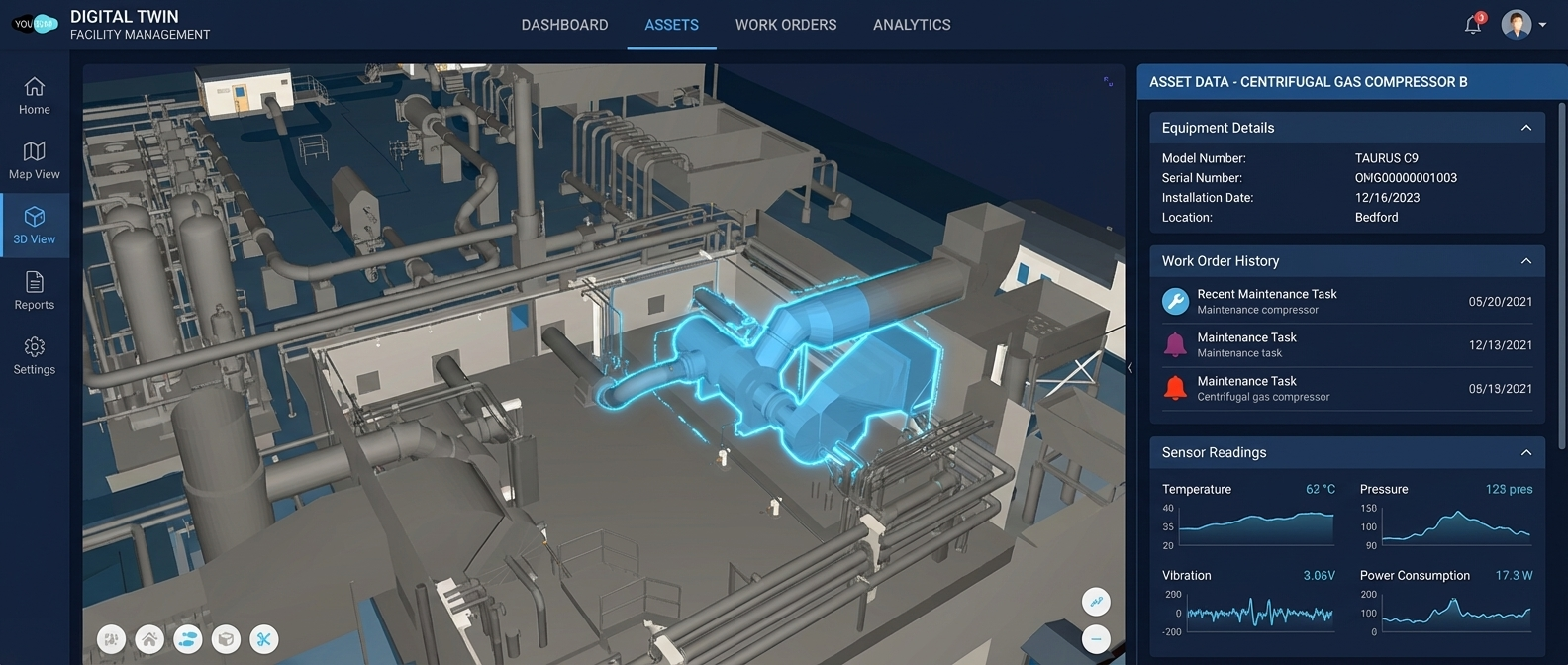
Instant Asset Access
Double-click any asset in the 3D model to instantly surface all related Maximo data. No complex asset naming required.
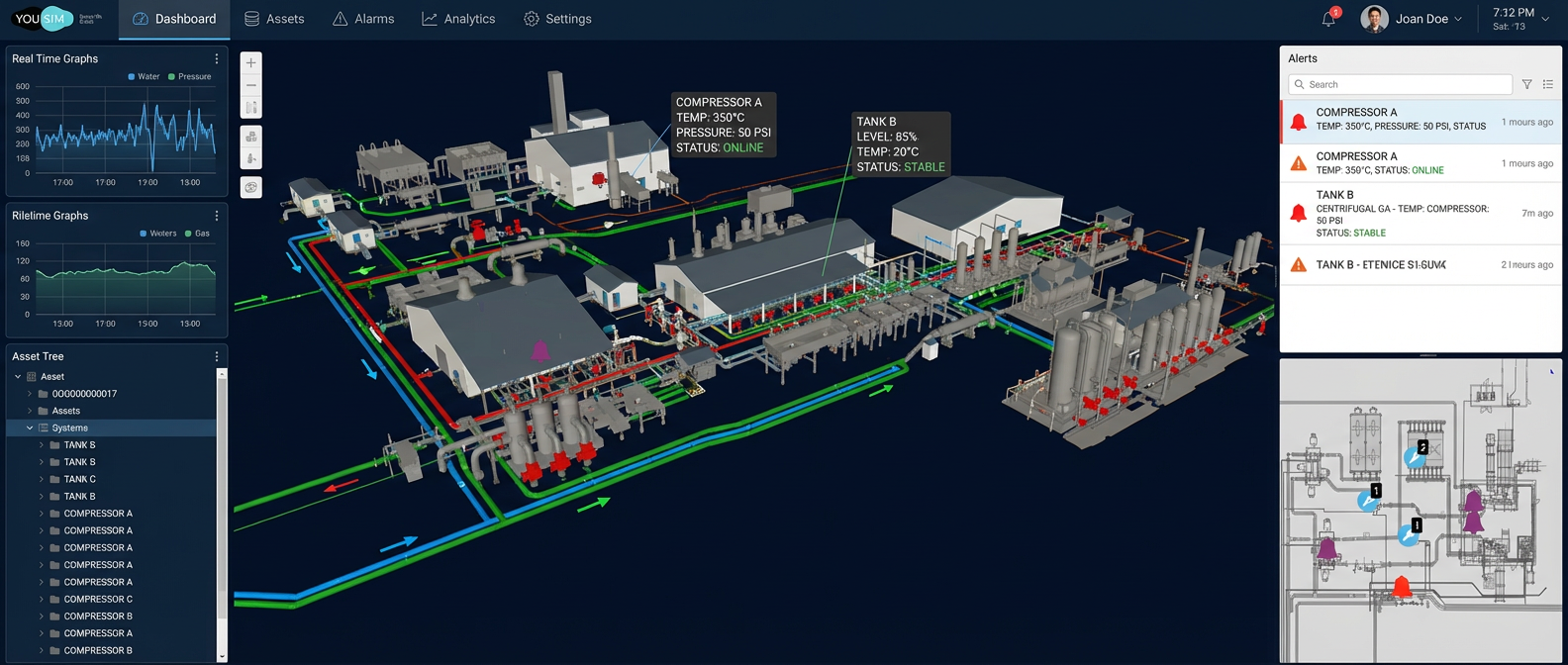
Live Sensor Data Display
View live sensor feeds organized by system, sensor type, or custom groupings. Get a real-time snapshot of your facility in seconds.
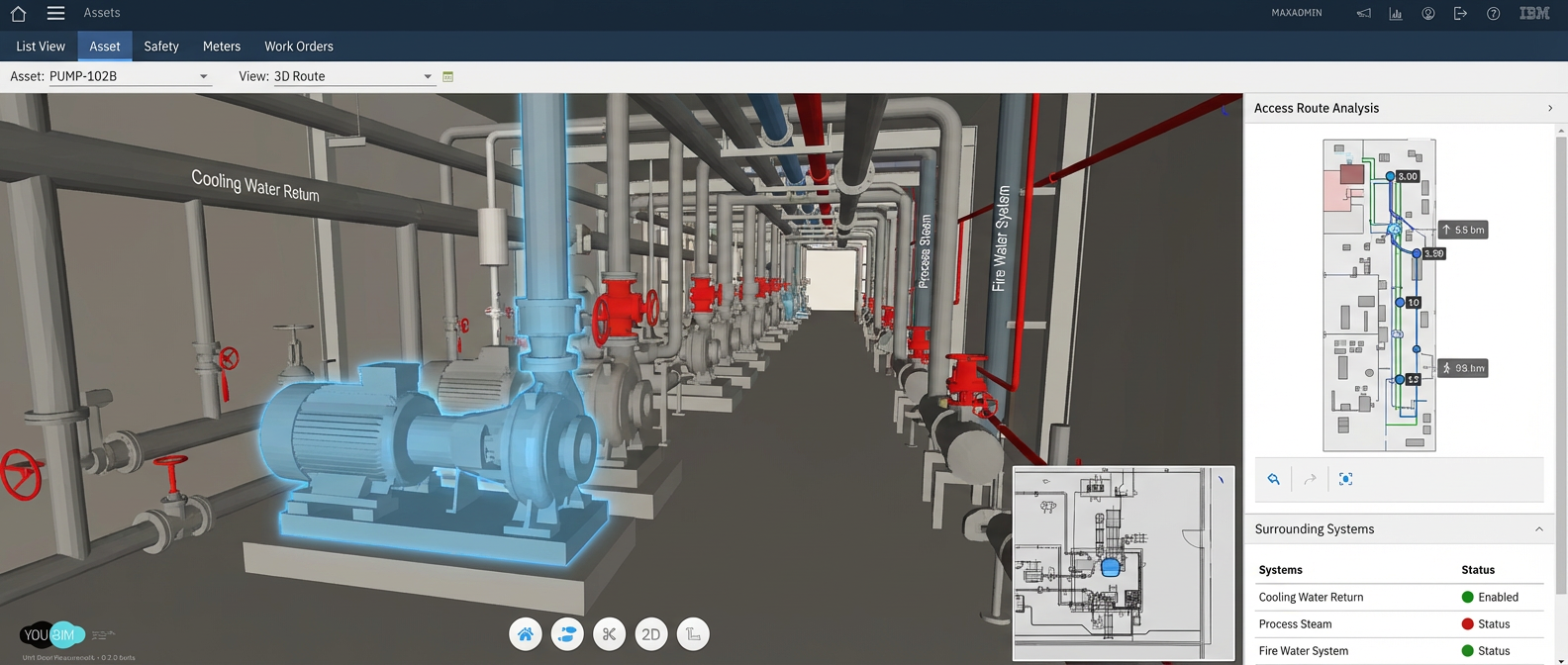
Visual Confirmation & Spatial Analysis
Assess asset location and access routes before dispatching technicians, eliminating unnecessary site visits and guesswork.
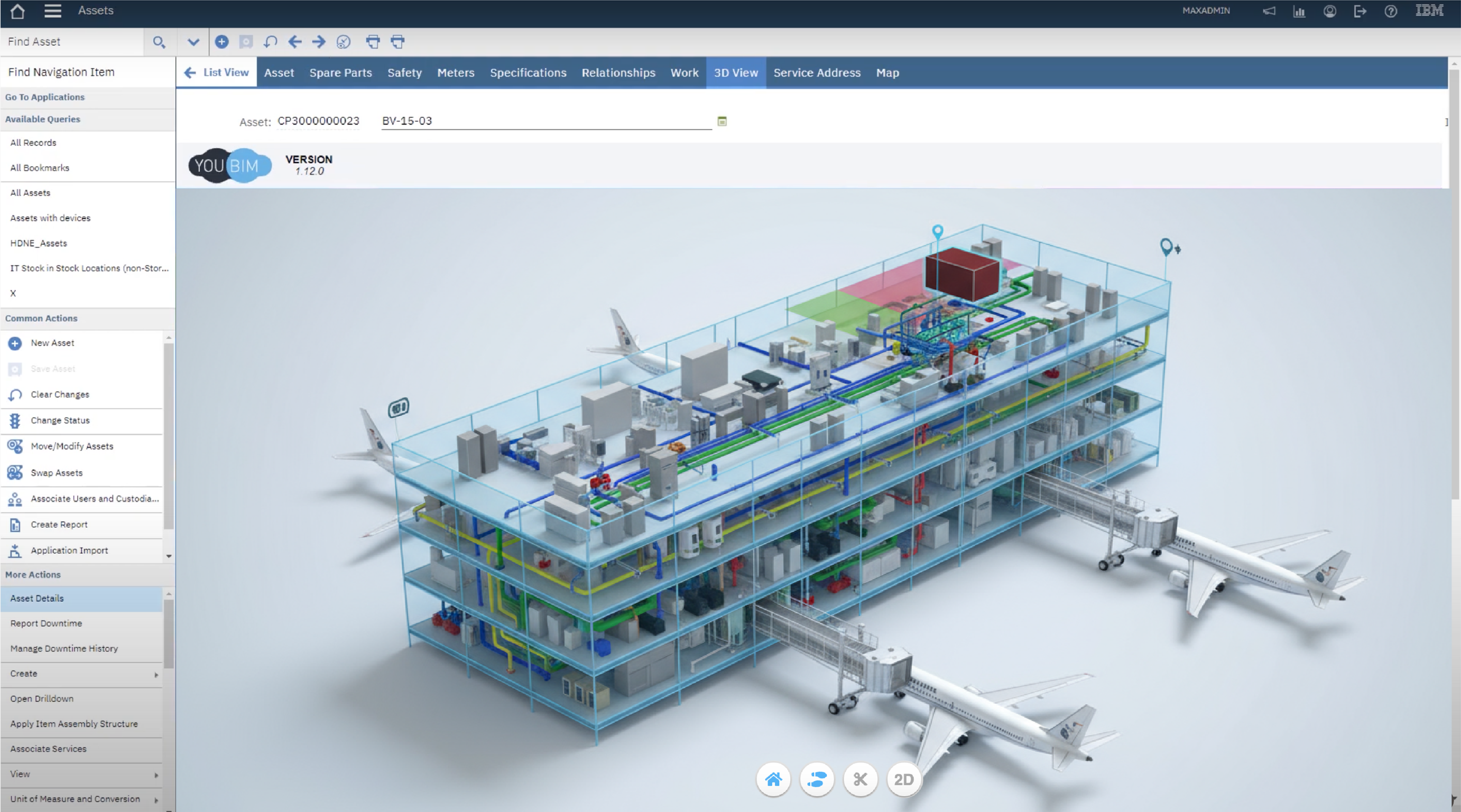
Facility Training & Virtual Walkdowns
Onboard new staff faster using virtual walkthroughs. Understanding asset relationships has never been simpler or more effective.
Why YouBIM is Different
More Than Just an API-Based Viewer
Many 3D viewers stop at a basic API connection. YouBIM was purpose-built for FM and EAM operations from the ground up — delivering a complete, configurable platform supported natively by IBM EAM/IWMS solutions with the flexibility and depth your team actually needs.
YouBIM vs. API-Based Viewers
Built for Operations. Not Just Visualization.
Generic API-based viewers treat 3D as a bolt-on feature. YouBIM treats it as an operational platform — with native EAM integration, purpose-built FM/EAM menus, continuous development, and flexible licensing designed for enterprise teams.
Supported Out of the Box by IBM EAM/IWMS
Native integration with IBM Maximo and TRIRIGA — no custom middleware required.
Cloud-Based with On-Premise Option
Deploy in the cloud for speed and scale, or on-premise for strict security and compliance requirements.
Menus & UI Developed for FM/EAM Use
Every interaction is designed around how FM and EAM teams actually work — not generic viewers repurposed for facilities.
Simple Enablement, Licensing & Support
Straightforward licensing and dedicated support options — no complicated tiering or hidden add-ons.
Highly Configurable
Tailor views, workflows, and data displays to match your organization's unique processes and requirements.
Import Data Directly into Your EAM from Your Model
Push asset data from BIM models straight into your EAM system — eliminating manual data entry and errors.
Flexible Integration Framework
Connect external systems to visualize any data in 3D or 2D model space — sensors, SCADA, BAS, and more.
Pre-Configured APIs for Visual Insights
Out-of-the-box API connections for Work Orders, Alarms, and Asset Health — visual intelligence from day one.
PDF Viewing Capabilities
Surface drawings, O&M manuals, and equipment specs directly within the platform — no switching between tools.
Continuous Feature Development
An active roadmap driven by real customer needs — ensuring YouBIM evolves alongside your growing requirements.
Built for Every Role in Your Organization
Proven expertise delivering enterprise asset management solutions with end-to-end support
Facilities ManagementMaintenance Managers
- Instantly locate assets in 3D
- Access work order history in-model
- Reduce time-to-repair with spatial context
Operations LeadershipOperations Directors
- Centralized view of facility performance
- Proactively monitor alarms & asset health
- Make data-driven decisions with confidence
Field OperationsField Technicians
- Arrive prepared with visual asset context
- Verify access routes before traveling
- Reduce errors with clear asset identification
Systems & IntegrationBIM & Maximo Admins
- Bridge BIM models with live Maximo data
- Flexible integrations & custom config
- Fast implementation, value from day one
Cloud
SaaS deployment available today
On-Prem
Full data sovereignty & control
Secure
Enterprise-grade security options
Fast
Rapid implementation & go-live
YouBIM Integration Framework
Deployment & Integration
Flexible Deployment Options
YouBIM supports both cloud and on-premise deployments to meet your organization's security requirements. Implementation is handled by a dedicated team with hands-on BIM and Maximo experience, ensuring a smooth rollout and strong end-user adoption from day one.
YouBIM integrates seamlessly with your existing IBM Maximo setup via the YouBIM Integration Framework. No rebuilding your workflows, just a smarter, visual layer on top of what you already use.
Your Facility in 3D and in Reality
YouBIM gives your team both views simultaneously — the 3D digital model and the real-world facility — so you always have full context before taking action.
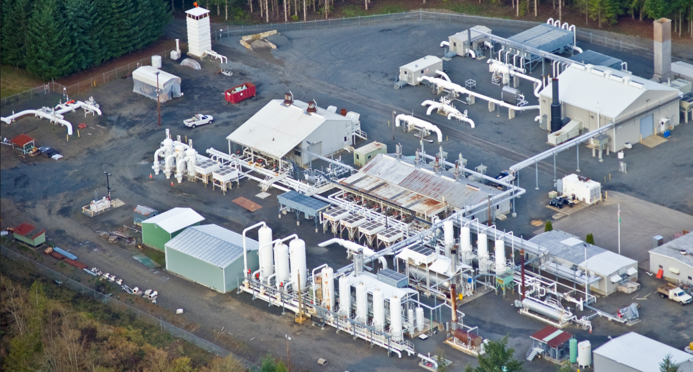 Real-World Facility
 3D Digital Model
Visualize Assets Before You Arrive —
Double-click any asset in the 3D model to surface its full Maximo record. Assess access routes and surrounding systems before dispatching a technician.
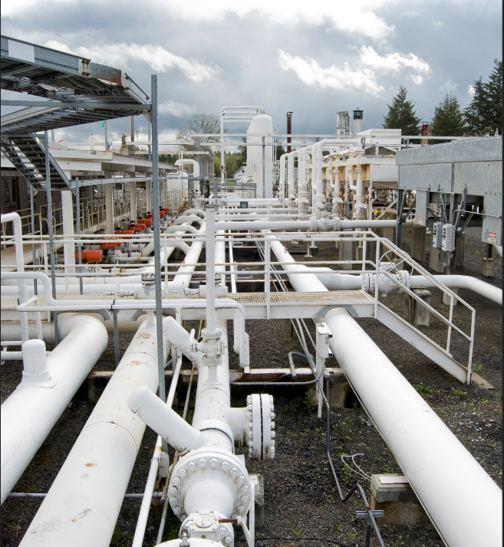 Real-World Systems
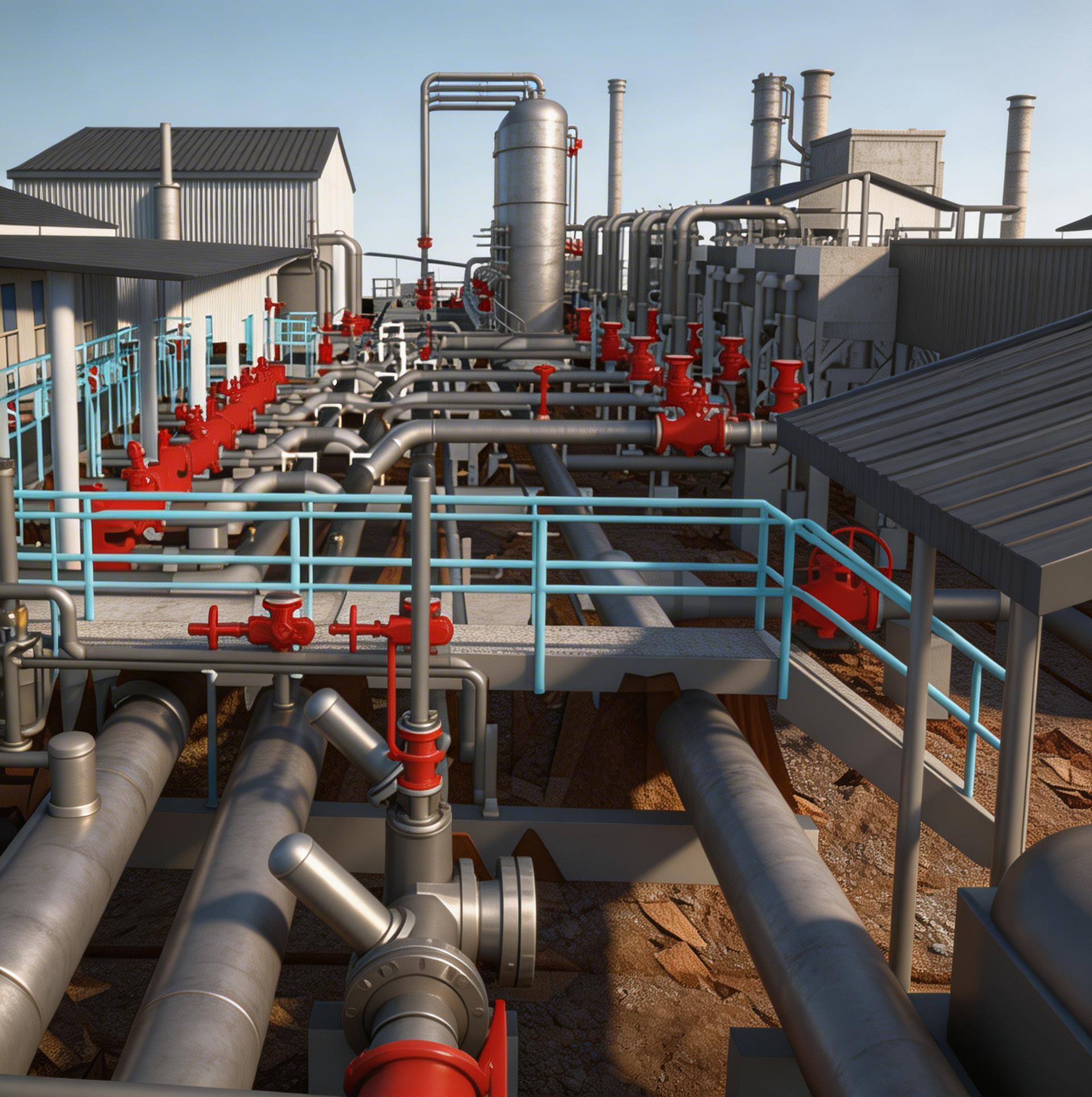 3D System View
Live Sensor Data Overlaid on Your Model —
View runtime readings, alarms, and open permits directly on the 3D model. Your team sees the full operational picture in seconds.
Reality Capture Services
Don't Have a BIM Model Yet? We Can Build One.
SMS offers professional 3D Reality Capture services to create accurate, as-built digital models of your facility — even if you're starting from scratch. Using laser scanning and photogrammetry, we capture your physical environment and deliver a model ready for use in YouBIM, closing the gap between your real-world facility and your digital twin.
Learn About 3D Capture →
Or contact us to discuss your project
Ready to Get Started?
See YouBIM in Action.
Schedule a Demo Today.
Discover how YouBIM can help your team visualize assets, reduce downtime, and get more from your IBM Maximo investment.
for IBM Maximo
See Your Assets.
YouBIM for Maximo
Brings Your Facility to Life.
A 3D Digital Twin integrated directly into your existing Maximo environment, giving your team instant visual access to assets, work orders, and live sensor data.
Complete Digital Twin Platform
End-to-end capabilities for 3D asset visualization, live sensor integration, work order management, and facility-wide intelligence, all inside your existing Maximo environment.
A Smarter Layer on Top of What You Already Use
YouBIM adds a powerful 3D Digital Twin directly into your existing Maximo environment — connecting BIM models with your asset and work order data without rebuilding your workflows. Just a smarter, visual layer on top of what you already have.
Everything at a Glance
Sensor data, asset health, open work orders, and alarms unified in a single 3D visualization that your whole team can act on.
Key Capabilities
Instant Asset Access
Double-click any asset in the 3D model to instantly surface all related Maximo data. No complex asset naming required.
Live Sensor Data Display
View live sensor feeds organized by system, sensor type, or custom groupings. Get a real-time snapshot of your facility in seconds.
Visual Confirmation & Spatial Analysis
Assess asset location and access routes before dispatching technicians, eliminating unnecessary site visits and guesswork.
Facility Training & Virtual Walkdowns
Onboard new staff faster using virtual walkthroughs. Understanding asset relationships has never been simpler or more effective.
More Than Just an API-Based Viewer
Many 3D viewers stop at a basic API connection. YouBIM was purpose-built for FM and EAM operations from the ground up — delivering a complete, configurable platform supported natively by IBM EAM/IWMS solutions with the flexibility and depth your team actually needs.
Built for Operations. Not Just Visualization.
Generic API-based viewers treat 3D as a bolt-on feature. YouBIM treats it as an operational platform — with native EAM integration, purpose-built FM/EAM menus, continuous development, and flexible licensing designed for enterprise teams.
Built for Every Role in Your Organization
Proven expertise delivering enterprise asset management solutions with end-to-end support
Maintenance Managers
- Instantly locate assets in 3D
- Access work order history in-model
- Reduce time-to-repair with spatial context
Operations Directors
- Centralized view of facility performance
- Proactively monitor alarms & asset health
- Make data-driven decisions with confidence
Field Technicians
- Arrive prepared with visual asset context
- Verify access routes before traveling
- Reduce errors with clear asset identification
BIM & Maximo Admins
- Bridge BIM models with live Maximo data
- Flexible integrations & custom config
- Fast implementation, value from day one
Flexible Deployment Options
YouBIM supports both cloud and on-premise deployments to meet your organization's security requirements. Implementation is handled by a dedicated team with hands-on BIM and Maximo experience, ensuring a smooth rollout and strong end-user adoption from day one.
YouBIM integrates seamlessly with your existing IBM Maximo setup via the YouBIM Integration Framework. No rebuilding your workflows, just a smarter, visual layer on top of what you already use.
Your Facility in 3D and in Reality
YouBIM gives your team both views simultaneously — the 3D digital model and the real-world facility — so you always have full context before taking action.
Visualize Assets Before You Arrive —
Double-click any asset in the 3D model to surface its full Maximo record. Assess access routes and surrounding systems before dispatching a technician.
Live Sensor Data Overlaid on Your Model —
View runtime readings, alarms, and open permits directly on the 3D model. Your team sees the full operational picture in seconds.
Don't Have a BIM Model Yet? We Can Build One.
SMS offers professional 3D Reality Capture services to create accurate, as-built digital models of your facility — even if you're starting from scratch. Using laser scanning and photogrammetry, we capture your physical environment and deliver a model ready for use in YouBIM, closing the gap between your real-world facility and your digital twin.
See YouBIM in Action.
Schedule a Demo Today.
Discover how YouBIM can help your team visualize assets, reduce downtime, and get more from your IBM Maximo investment.